

This tutorial will show you how to use HighLevel’s XML sitemap feature for your domains. It is a great feature which functions essentially as the blueprint of your website to help with SEO as it indexes the web pages. To utilize the XML sitemap, follow these steps:
- Navigate to Settings > Domains in HighLevel.
- Click the XML sitemap link next to the domain you wish to update.
- In the popup window, you can expand the view using the + and – to see the different pages within a particular domain.
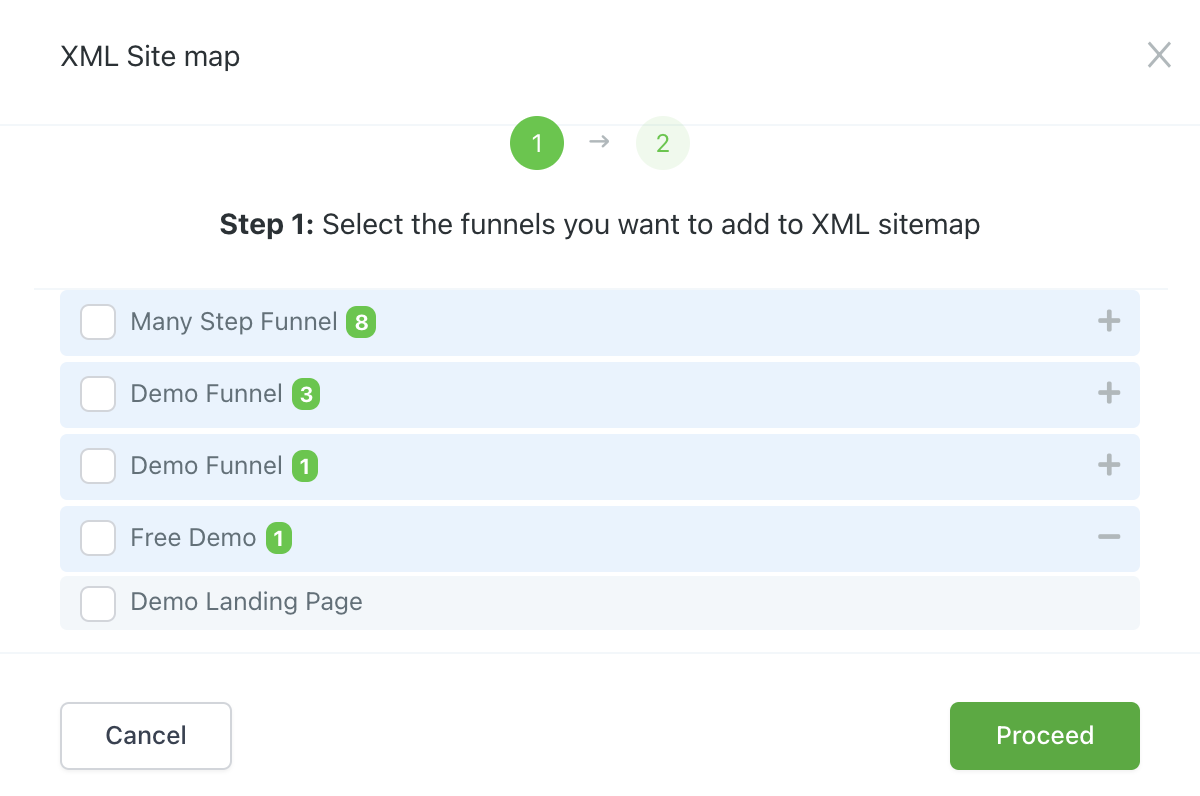
- Click Proceed.
- On the next page, you can create a custom path, edit an existing one, or add a new one.
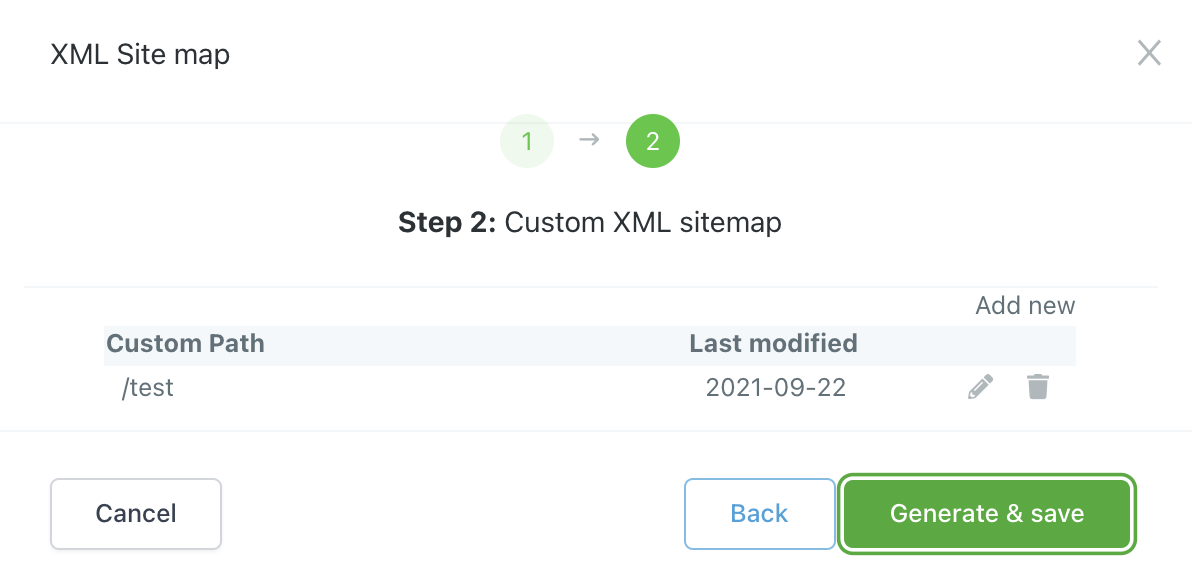
- Once you’re satisfied with your updates/additions/changes, click “Generate and Save”.
- A new popup window will appear. Click into the link which will direct you to a page where you can view the code of your new SiteMap.
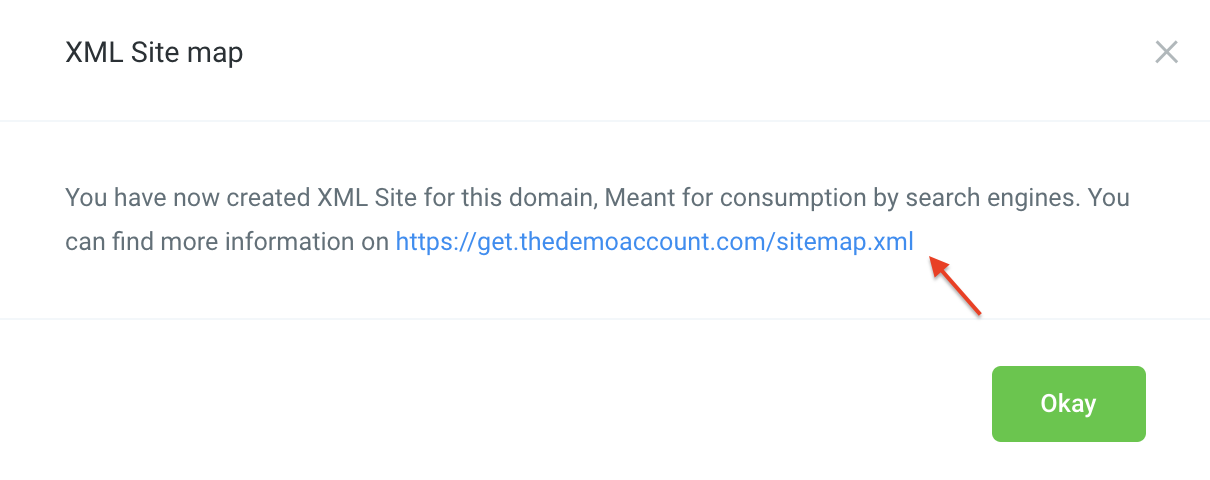
- Here you can verify the information you just entered.
Frequently Asked Questions
What does “How to Setup Your XML Sitemap in HighLevel” cover?
This tutorial will show you how to use HighLevel’s XML sitemap feature for your domains. It is a great feature which functions essentially as the blueprint of your website to help with SEO as it indexes the web pages. To utilize the XML sitemap, follow these steps:
Start Your HighLevel Free Trial
Browse all GoHighLevel guides · HighLevel Website.