

If you’re using GoHighLevel to run your business or manage clients, the HighLevel MCP feature is one upgrade you’ll want to pay attention to.
This built-in functionality connects your CRM to AI assistants – like ChatGPT, Claude, or Mindpal
– using a hosted MCP server HighLevel now provides. The result? Real AI-powered workflows that understand what’s happening in your system and take action – by chat, by voice, or through multiple tools working in sync.
Whether you want to tag a lead, send a message, or pull a calendar – your AI assistant can now do it for you.
Watch: HighLevel MCP Feature in Action
This is what’s possible now with the HighLevel MCP feature – real actions, real results, in real time.
What Is the HighLevel MCP Feature?
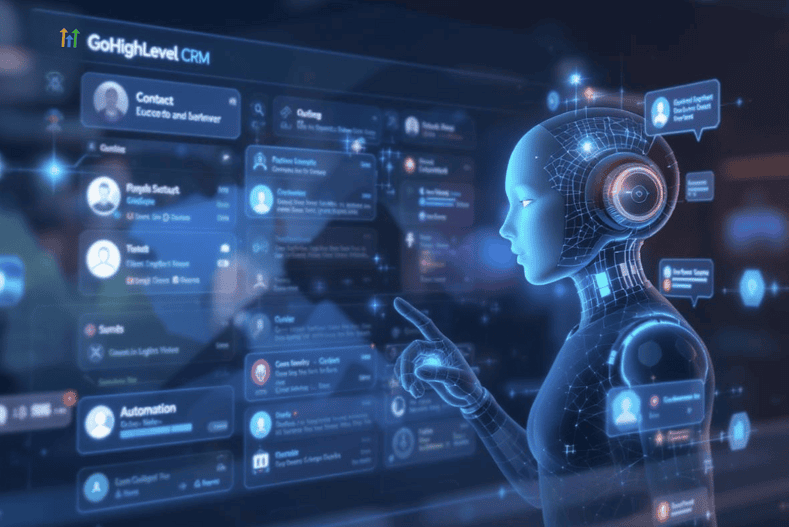
The Model Context Protocol (MCP) is a standard that allows AI tools to access your business systems – securely, and with full context.
With the HighLevel MCP feature, that protocol is already hosted by HighLevel itself, so your AI tools can:
•
Read CRM records in real time
•
Send personalized messages
•
Summarize contacts, events, or tasks
•
Trigger automations – all by command
It’s incredible! You can use natural language – by typing or speaking – and your AI will understand and act.
How the MCP Server in HighLevel Works
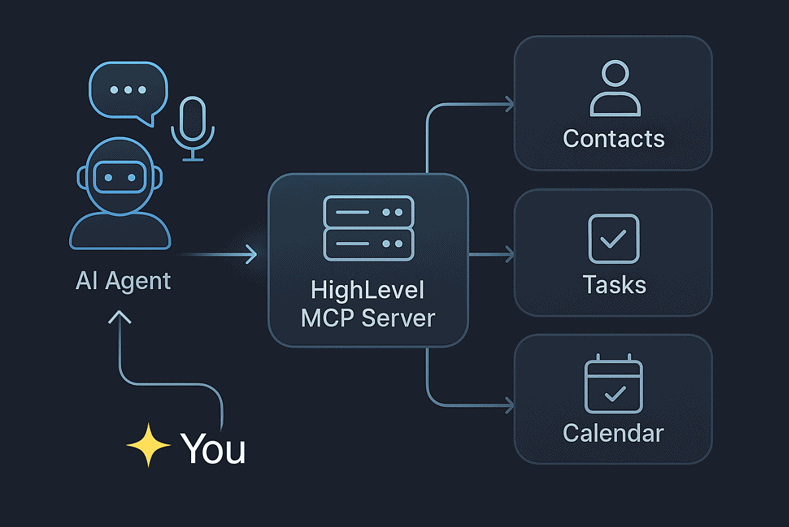
Here’s how it all connects:
Part |
Function |
|---|---|
AI Client |
ChatGPT, Claude, or Mindpal
|
MCP Server
|
Connects AI to CRM data securely |
CRM Data |
Contacts, tags, conversations, tasks, forms, payments, more |
Because it’s built into HighLevel, setup is clean – and your data stays secure
Your AI assistant can now act like a real team member: pulling leads, sending follow-ups, or updating records, all from a single command.
Real Use Cases for CRM Automation with AI
Use Case |
What It Does |
|---|---|
Follow-Up Emails |
AI writes & sends based on lead form responses |
Smart Tagging |
AI adds tags from quiz answers or funnel steps |
Appointment Summaries |
Pulls data before calls and client meetings |
Team Notifications |
AI pushes updates to Slack, ClickUp, or Trello |
Multi-Tool Workflows |
AI agents sync across tools for complex flows |
And yes – you can speak commands
to your assistant so you can literally say:
“Pull today’s appointments and notify my team.”
Even better? You can connect multiple agents
, each focused on their own task – and working together through shared MCP access.
These must be done with an external platform, like Mindpal
.
Mindpal
What You’ll Need to Use the HighLevel MCP Feature
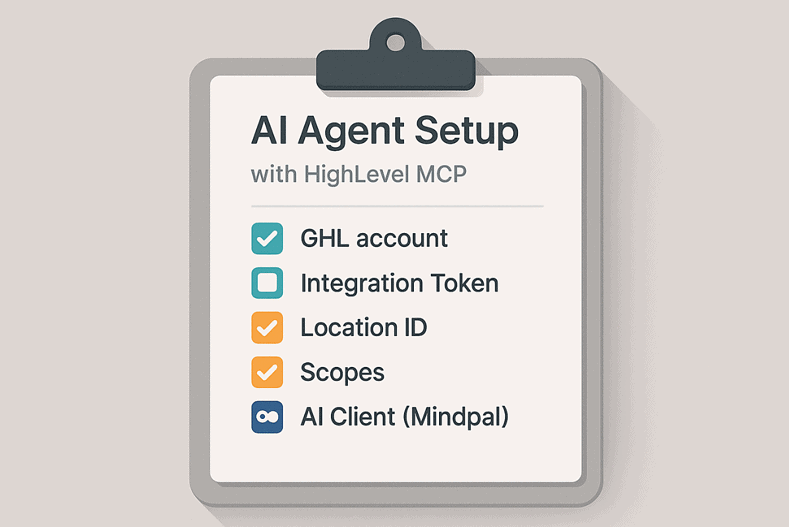
You don’t need a developer or advanced setup.
Just gather the basics:
•
A GoHighLevel account with admin access
•
A Private Integration Token (PIT)
from your sub-account
•
The correct scopes (e.g., contacts, calendars, messages)
•
An AI client that supports HTTP – like Mindpal
Server URL:
https://services.leadconnectorhq.com/mcp/
Headers:
Authorization: Bearer <your-token>
locationId: <your-location-id>
Once it’s connected, you can:
•
Type (or even speak) to your AI
•
Ask it to access or update CRM records
•
Trigger responses across multiple tools – in real time
If you need more details, check out HighLevel’s MCP Help Doc
.
Common Setup Tips & Fixes
Issue |
Fix |
|---|---|
Token not working |
Add a space after “Bearer” and confirm scope selection |
Missing data |
Check scopes like “contacts” and “conversations” |
Auth error |
Double-check token + location ID for typos |
Feeling stuck |
Start with just one simple action – like “send a text” |
Tools not syncing |
Use Mindpal to unify multi-agent or tool connections |
Final Thoughts

The HighLevel MCP feature
makes your CRM smarter – and more hands-off.
Instead of guessing or clicking around, your AI assistant can now:
•
Listen to your requests
•
Read your CRM data
•
Take real action
•
Work alongside other AI tools – all in sync
This isn’t just automation. It’s intelligent execution
built into the tools you already use.
Ready to try it?
•
Use an AI Client like Mindpal
to connect your AI agents
•
Get training and support through Molly Mahoney’s AI Stars
•
Start with one action – and build your first assistant from there
You’re not too late. You’re early. And this is the easiest time to try.
Mindpal
Recent Posts from Danish Hussain:
Published by Danish Hussain. This adapted guide includes licensed source material. Product details, event information and promotional terms reflect the coverage date; check the provider for current terms.