

A Twilio number is a digital phone number that can give you full access to your regular call and message routine. You can create an outbound number easily within the app.
Step 1: Navigate to Settings > Phone Numbers in HighLevel.
Step 2: Click Add Number.

Step 3: Search for a 3 Digit Area Code (e.g 818, 949, 626, etc.).
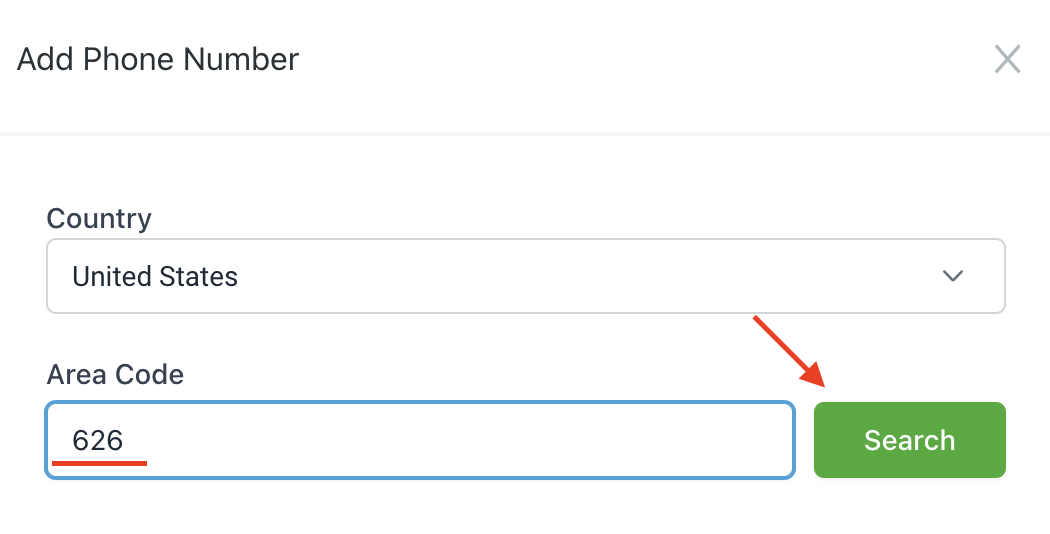
Step 4: Choose the Number You Want.
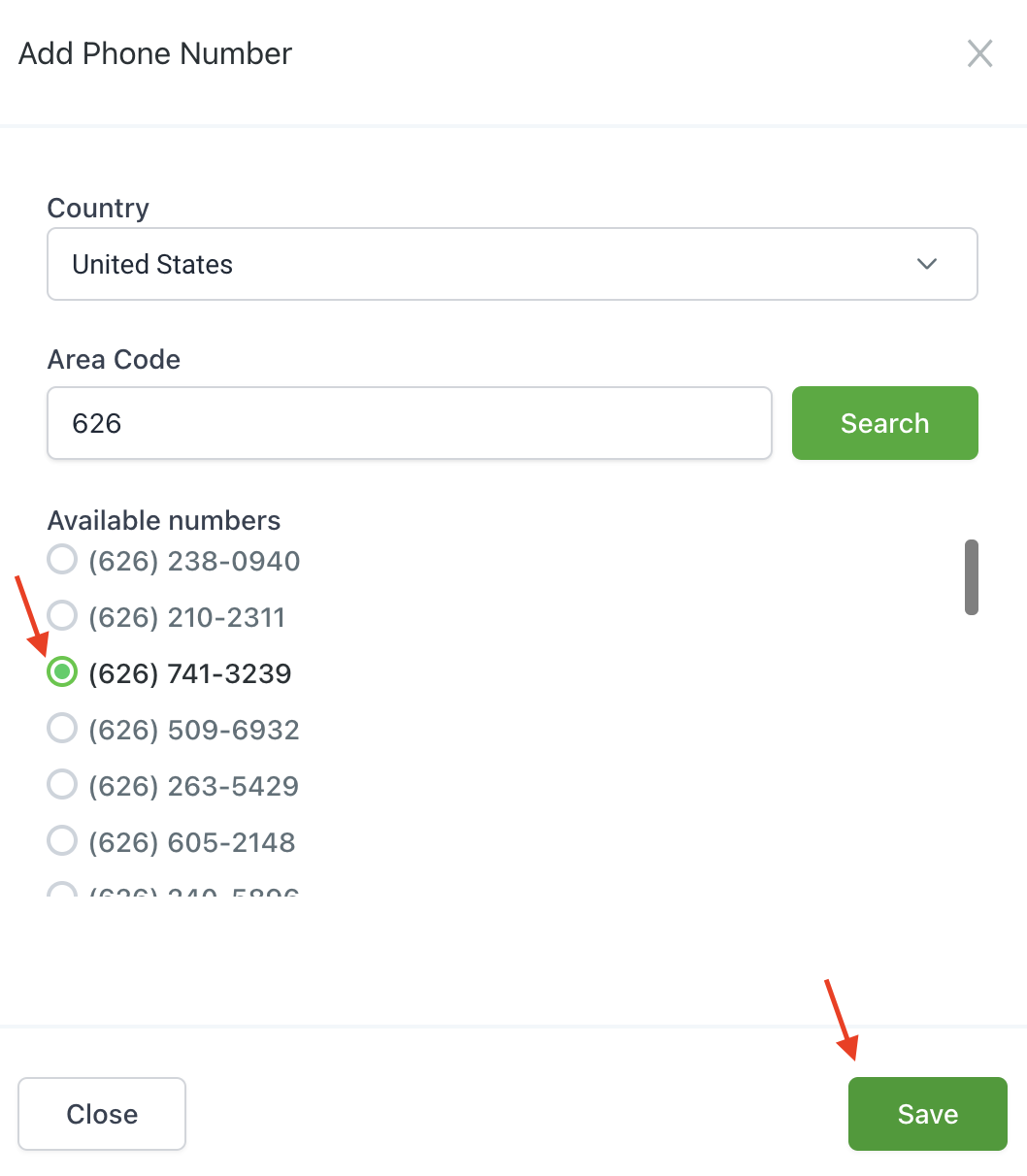
Step 5: Save to confirm your changes. You’ll now see the number listed in your Phone Numbers page.
NOTE: Some area codes no longer have numbers available. You will need to select a different area code.
Frequently Asked Questions
What does “How To Get an Outbound Phone Number in HighLevel” cover?
A Twilio number is a digital phone number that can give you full access to your regular call and message routine. You can create an outbound number easily within the app.
Start Your HighLevel Free Trial
Browse all GoHighLevel guides · HighLevel Phone.