

Depending on the situation, if an Opportunity isn’t going to work out or close, you may want to delete or archive the Opportunity. There are multiple ways to do this in HighLevel.
Part 1: Update Opportunity Status in HighLevel. You can update the Opportunity status if it isn’t going to work out, to either “lost” or “abandoned”.
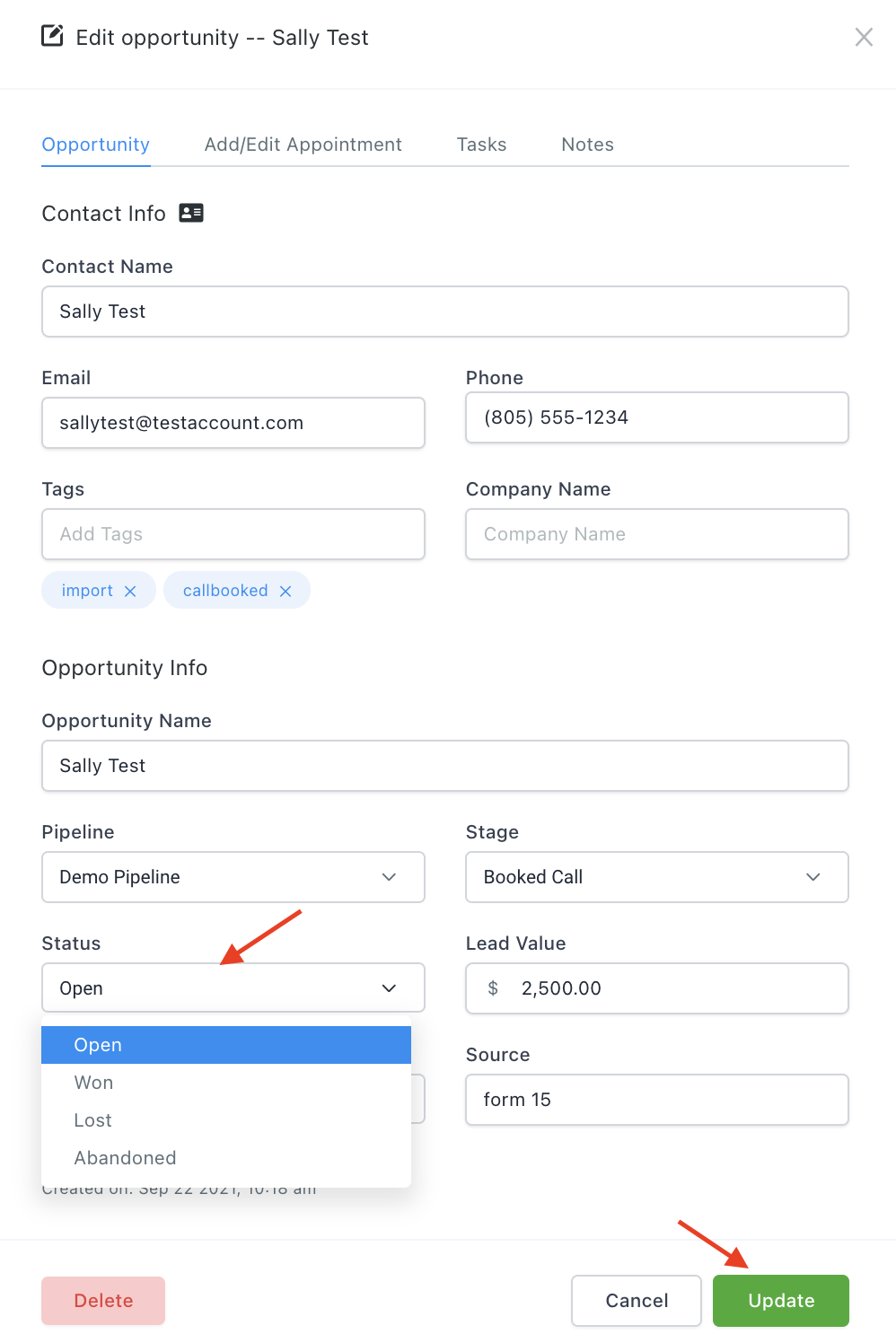
Step 1: Click into the Opportunity and scroll to the bottom.
Step 2: Under the “Status” dropdown, change the status appropriately.
Step 3: Hit Save to update your changes.
Part 2: Delete an Opportunity in HighLevel. You can do this to remove it from the list entirely.
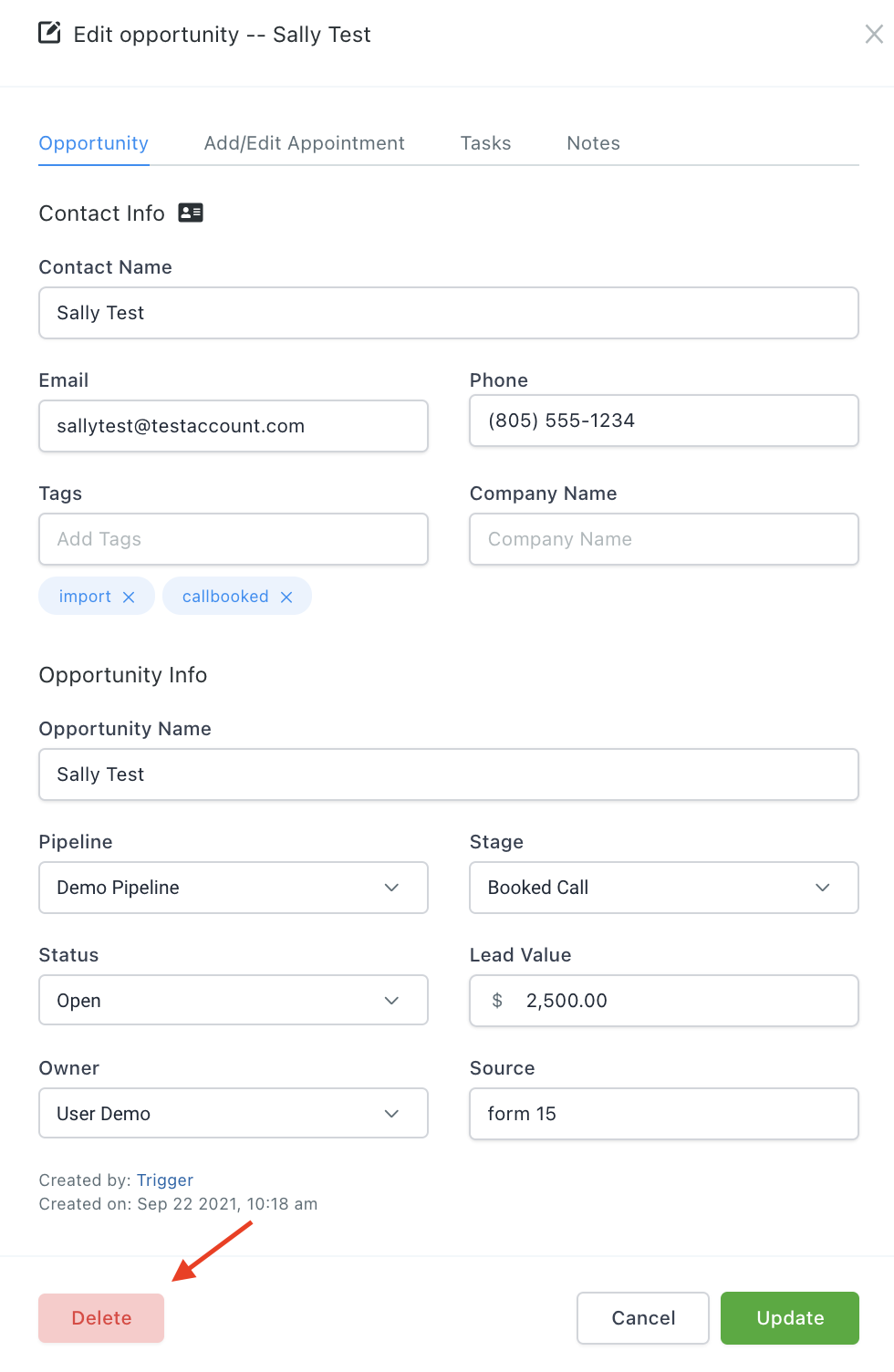
Step 1: Click into the Opportunity and scroll to the bottom.
Step 2: Scroll to the bottom and click the red “Delete” button. This will completely delete the Opportunity.
Frequently Asked Questions
What does “How to End an Opportunity in HighLevel” cover?
Depending on the situation, if an Opportunity isn’t going to work out or close, you may want to delete or archive the Opportunity. There are multiple ways to do this in HighLevel.