

Welcome to the ultimate guide to creating and launching your first online course with HighLevel! If you’re looking to monetize your knowledge and build a thriving online community, you’ve come to the right place. In this article, I’ll walk you through everything you need to know about HighLevel courses, from initial setup to student management. As a seasoned HighLevel power user, I’ll provide you with actionable steps and pro tips to get your course up and running in no time. Let’s dive in!
Key Takeaways
- HighLevel’s course builder is a powerful tool for creating and selling online courses.
- You can customize your course with your own branding, content, and pricing.
- Drip content allows you to release lessons over time, keeping students engaged.
- HighLevel provides robust student management and analytics features.
1. Setting Up Your First HighLevel Course
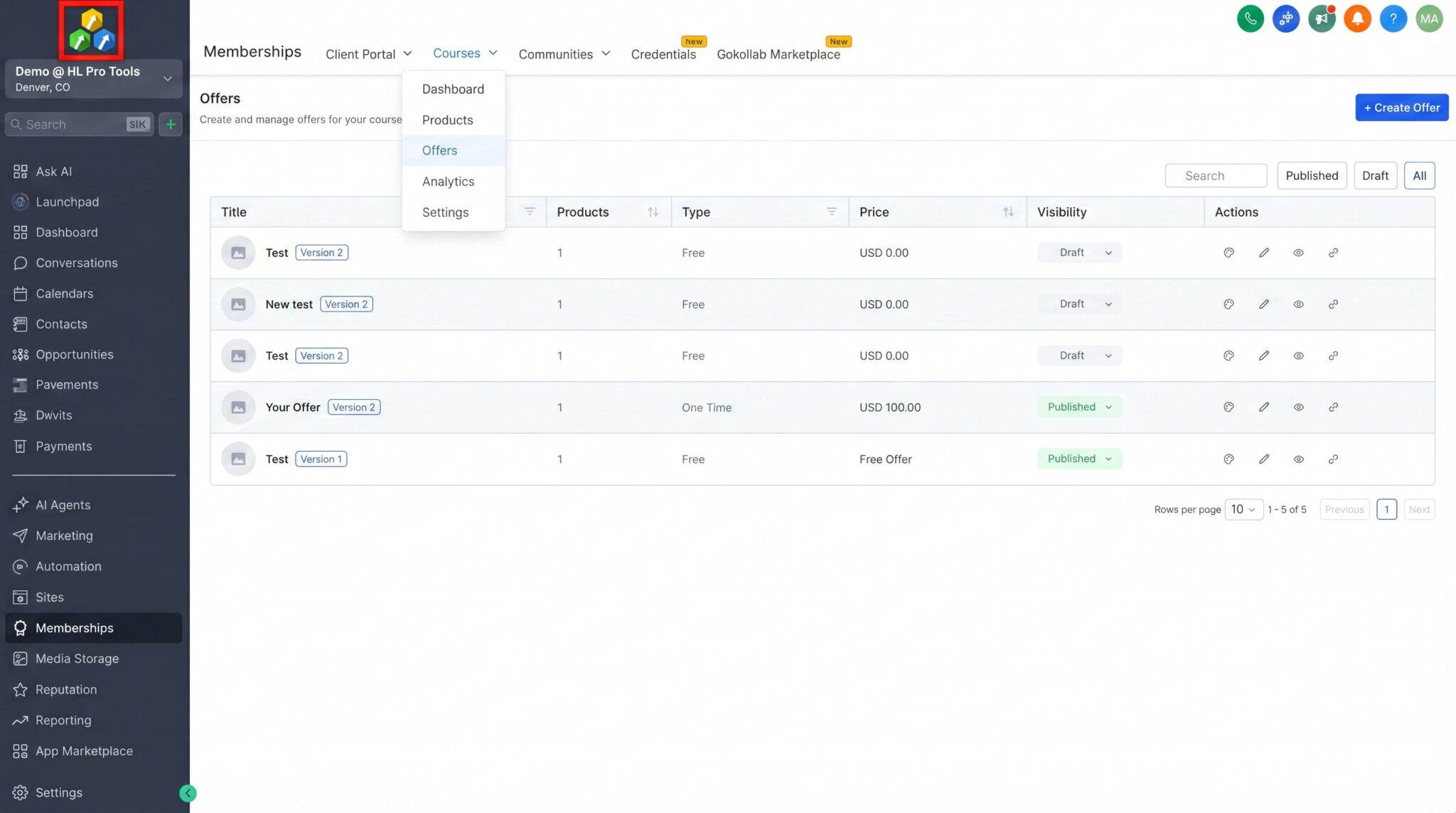
Getting started with HighLevel courses is a straightforward process. First, you’ll need to navigate to the Memberships section in your HighLevel dashboard. From there, you can create a new product and select the “Course” type. This will open up the course builder, where you can begin to structure your content.
1.1. Basic Course Configuration
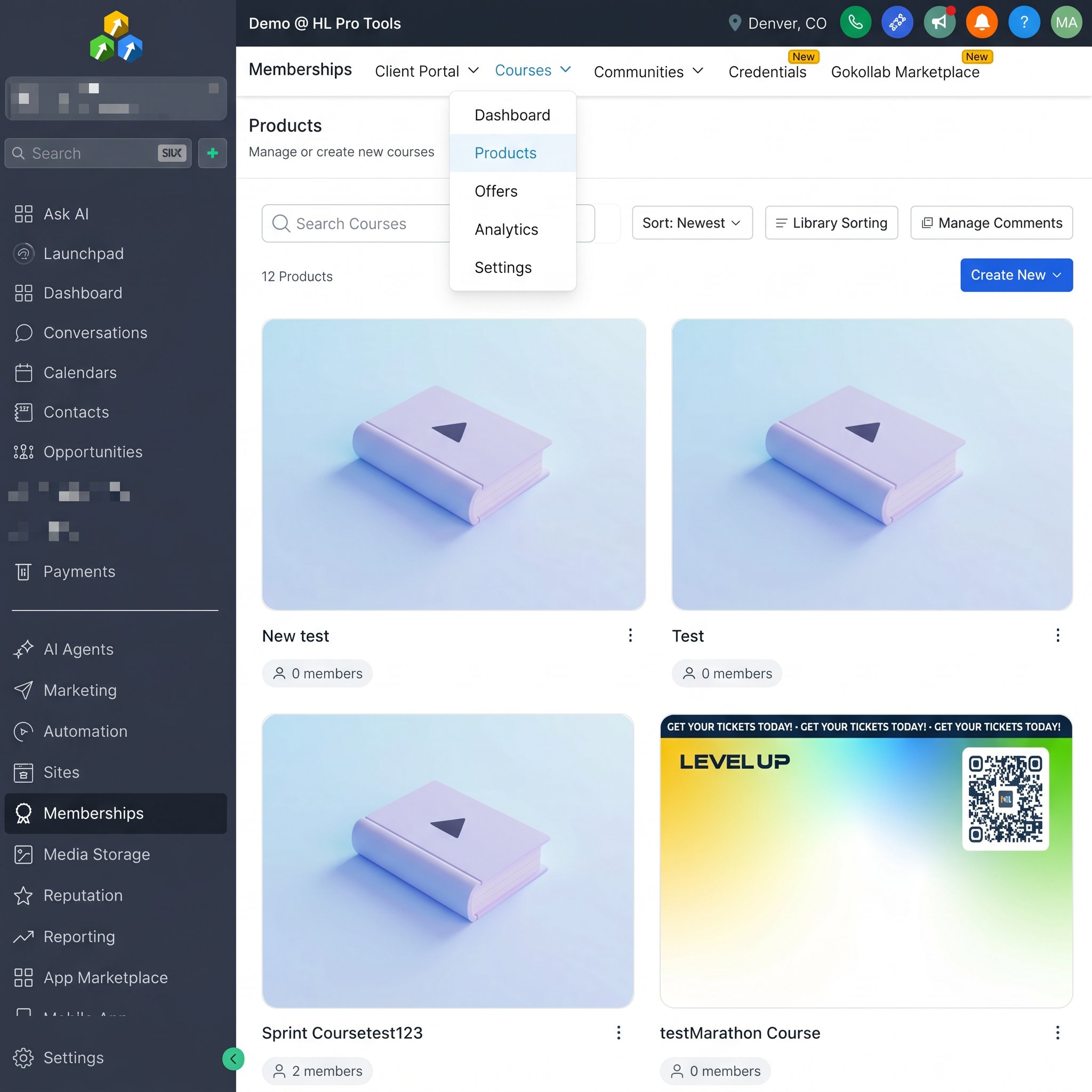
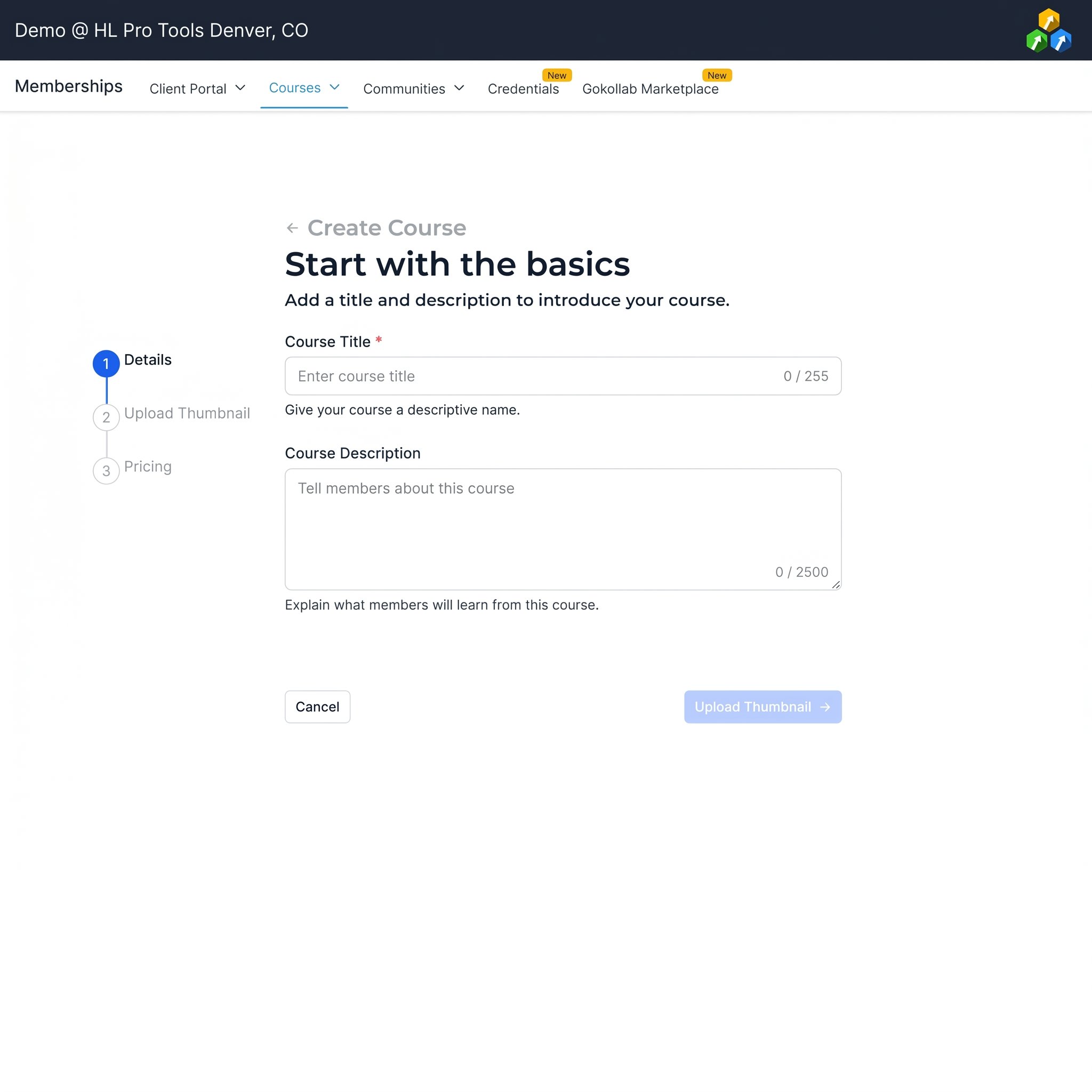
In the initial setup, you’ll be prompted to enter a title, description, and thumbnail for your course. It’s important to make these engaging and descriptive, as they will be the first things potential students see. You can also customize the course URL to match your branding.
2. Building Your Course Content
Once you’ve configured the basic settings, it’s time to start adding your content. HighLevel’s course builder uses a simple drag-and-drop interface, making it easy to organize your lessons and modules. You can create as many modules and lessons as you need, and each lesson can contain a variety of content types.
2.1. Adding Lessons and Modules
Modules act as containers for your lessons, allowing you to group related content together. For example, you might have a module for “Introduction,” “Module 1: The Basics,” and so on. Within each module, you can add individual lessons. To add a new module or lesson, simply click the corresponding button in the course builder.
2.2. Supported Content Types
HighLevel supports a wide range of content types for your lessons, including videos, text, images, and file downloads. You can upload your videos directly to HighLevel or embed them from a third-party hosting service like YouTube or Vimeo. This flexibility allows you to create a rich and engaging learning experience for your students.
Pro Tip: Use a combination of video and text-based lessons to cater to different learning styles. This will help to keep your students engaged and improve their overall learning experience.
3. Customizing Your Course and Membership Portal
HighLevel provides a great deal of flexibility when it comes to customizing the look and feel of your course and membership portal. You can add your own branding, choose from a variety of themes, and even customize the CSS to match your website.
3.1. Branding and Themes
In the course settings, you can upload your logo, favicon, and choose a color scheme that aligns with your brand. HighLevel also offers a selection of pre-built themes that you can apply to your membership portal with a single click. These themes are fully responsive, ensuring that your course looks great on any device.
4. Setting Up Pricing and Drip Content
Once your course content is ready, it’s time to set up your pricing and decide how you want to deliver the content to your students. HighLevel offers a variety of pricing options, including one-time payments, subscriptions, and payment plans. You can also use the drip content feature to release your lessons over time.
4.1. Pricing Options
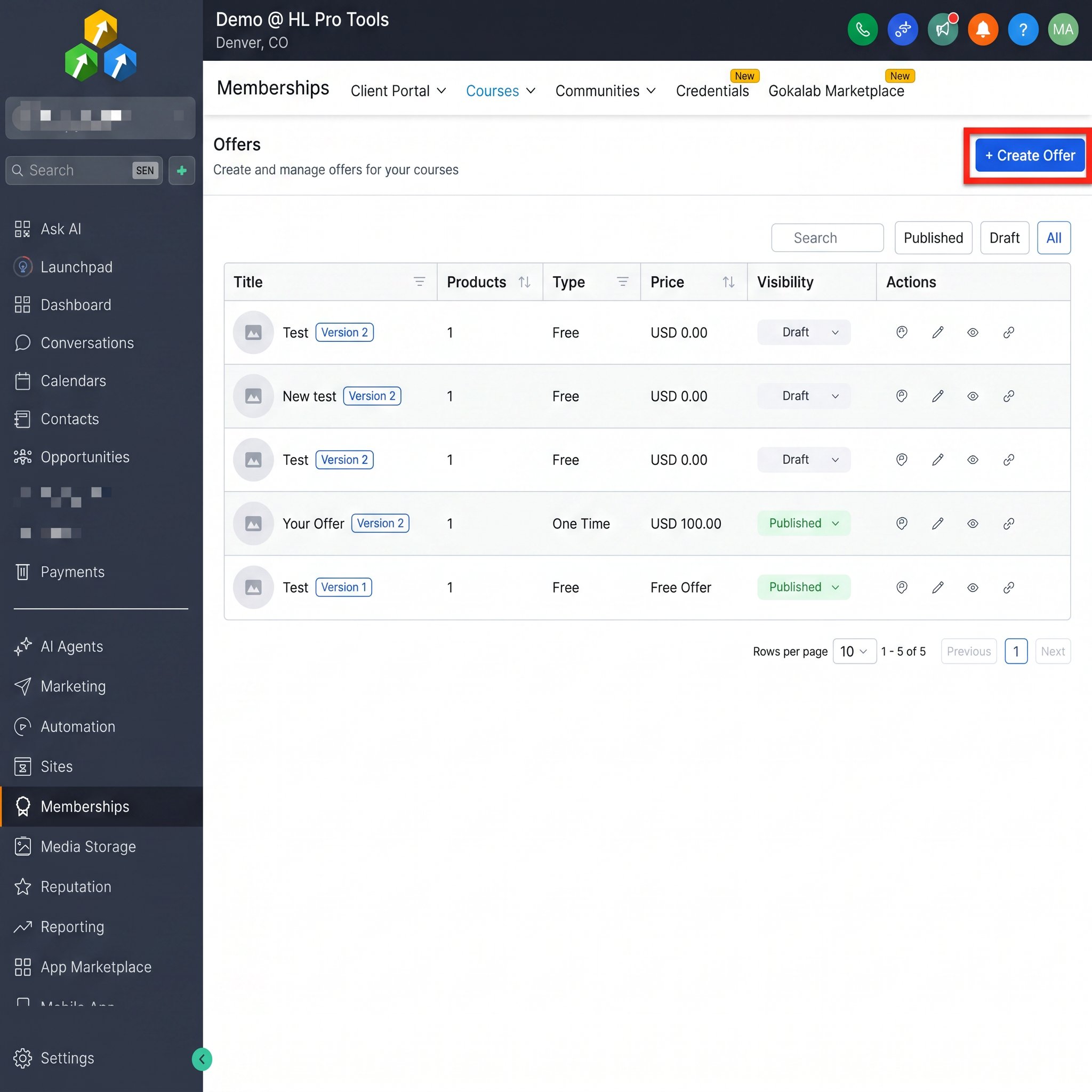
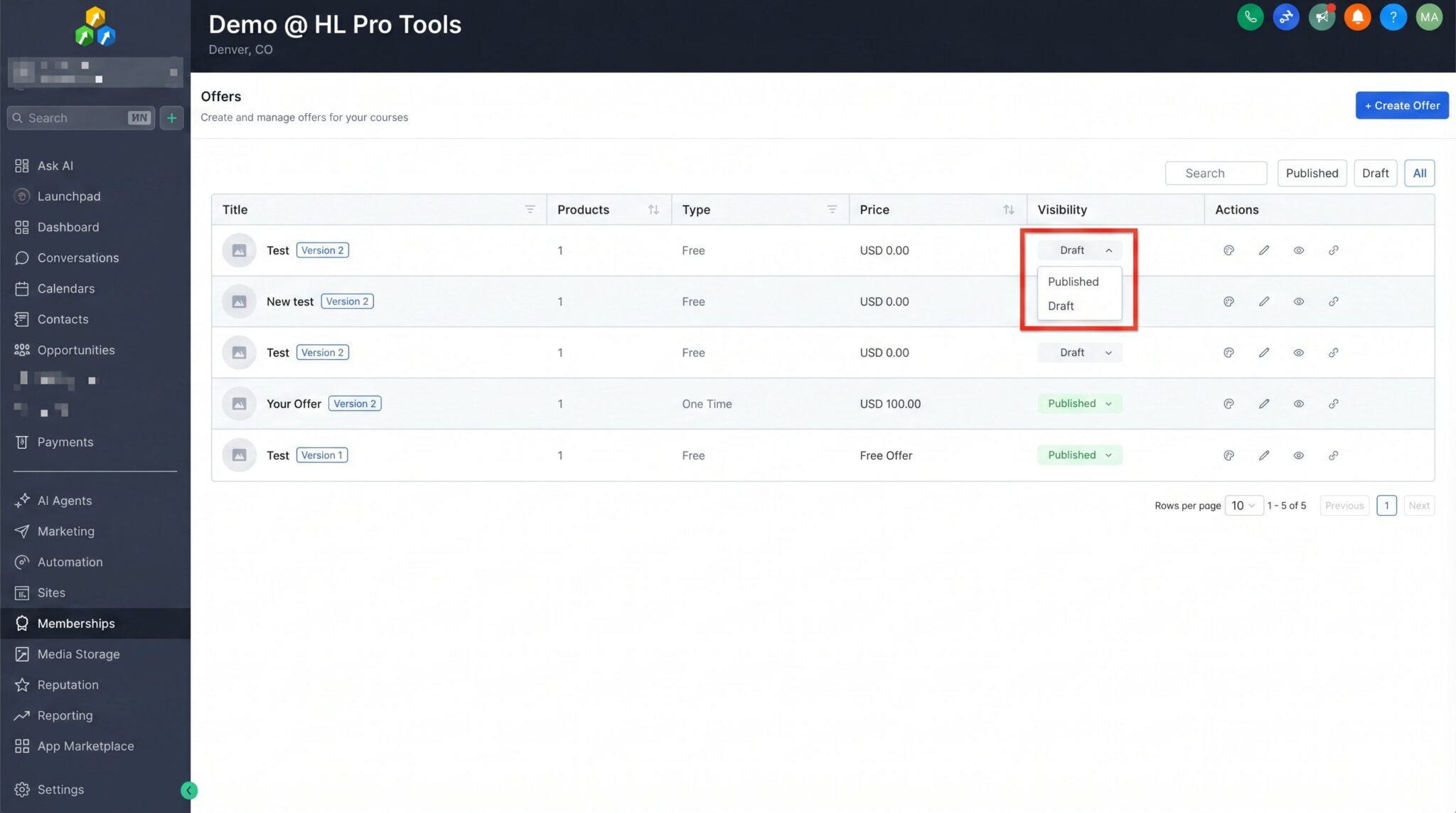
To set up your pricing, you’ll need to create an offer for your course. An offer is essentially a pricing plan that grants access to your course. You can create multiple offers for the same course, allowing you to offer different pricing tiers or payment options.
4.2. Drip Content
Drip content is a powerful feature that allows you to release your course lessons on a schedule. For example, you could release a new module every week to keep students engaged and prevent them from feeling overwhelmed. You can set the drip schedule for each lesson individually, giving you full control over the content delivery.
5. Managing Students and Tracking Progress
HighLevel provides a comprehensive set of tools for managing your students and tracking their progress. From the Memberships dashboard, you can view a list of all your students, see which courses they are enrolled in, and track their progress through each course.
5.1. Student Management
You can manually add or remove students from your courses, as well as view their contact information and purchase history. This makes it easy to manage your student community and provide support when needed.
5.2. Analytics and Reporting
HighLevel’s analytics and reporting features give you valuable insights into how your students are engaging with your course. You can track metrics like completion rates, quiz scores, and video engagement, allowing you to identify areas for improvement and optimize your course content.
Pro Tip: Use the analytics data to identify which lessons are most popular and where students are dropping off. This will help you to improve your course content and increase student satisfaction.
FAQ
Can I host my videos on HighLevel?
Yes, you can upload your videos directly to HighLevel. However, for better performance and more advanced features, you may want to consider using a third-party video hosting service like YouTube or Vimeo.
Can I offer a free trial for my course?
Yes, you can create a free offer for your course to give potential students a preview of your content. This is a great way to generate leads and increase conversions.
Can I connect my own domain to my membership portal?
Yes, you can connect a custom domain to your HighLevel membership portal. This will allow you to create a fully branded experience for your students.
Does HighLevel charge any transaction fees?
No, HighLevel does not charge any transaction fees on your course sales. You will only be responsible for the standard processing fees from your payment gateway (e.g., Stripe or PayPal).
Conclusion
HighLevel courses provide a powerful and flexible platform for creating and selling online courses. With its intuitive course builder, customizable branding, and robust student management features, HighLevel has everything you need to build a successful online course business. By following the steps outlined in this guide, you’ll be well on your way to launching your first course and sharing your knowledge with the world. So what are you waiting for? Start building your HighLevel course today!
Frequently Asked Questions
Can I host my videos on HighLevel?
Yes, you can upload your videos directly to HighLevel. However, for better performance and more advanced features, you may want to consider using a third-party video hosting service like YouTube or Vimeo.
Can I offer a free trial for my course?
Yes, you can create a free offer for your course to give potential students a preview of your content. This is a great way to generate leads and increase conversions.
Can I connect my own domain to my membership portal?
Yes, you can connect a custom domain to your HighLevel membership portal. This will allow you to create a fully branded experience for your students.
Does HighLevel charge any transaction fees?
No, HighLevel does not charge any transaction fees on your course sales. You will only be responsible for the standard processing fees from your payment gateway (e.g., Stripe or PayPal).
Start Your HighLevel Free Trial
Browse all GoHighLevel guides · HighLevel Membership.