

This tutorial will show you how to check email stats for sent and scheduled emails in HighLevel.
- Navigate to HighLevel’s Email section.
- Choose “Email Campaigns”.
- Click the Actions dropdown menu and select “Statistics”
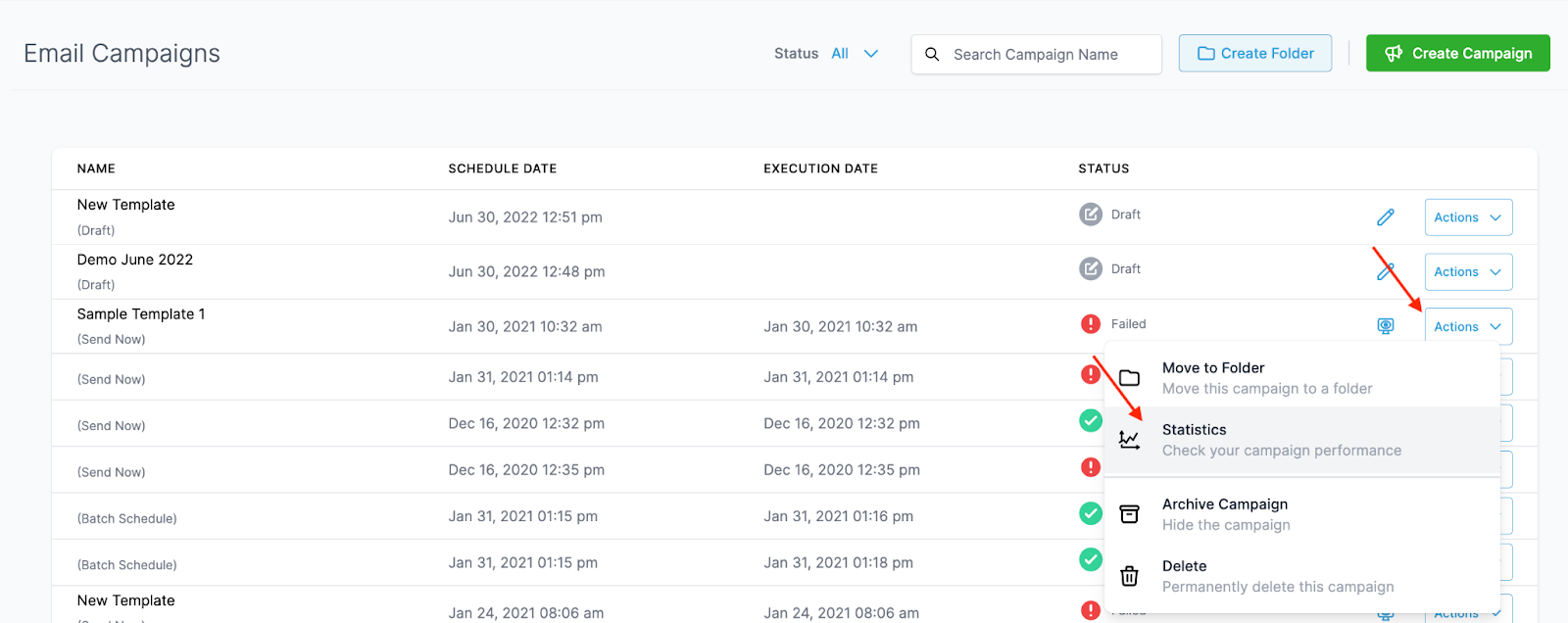
- In the popup window on the right hand side, you’ll be able to view all the Statistics for that email.
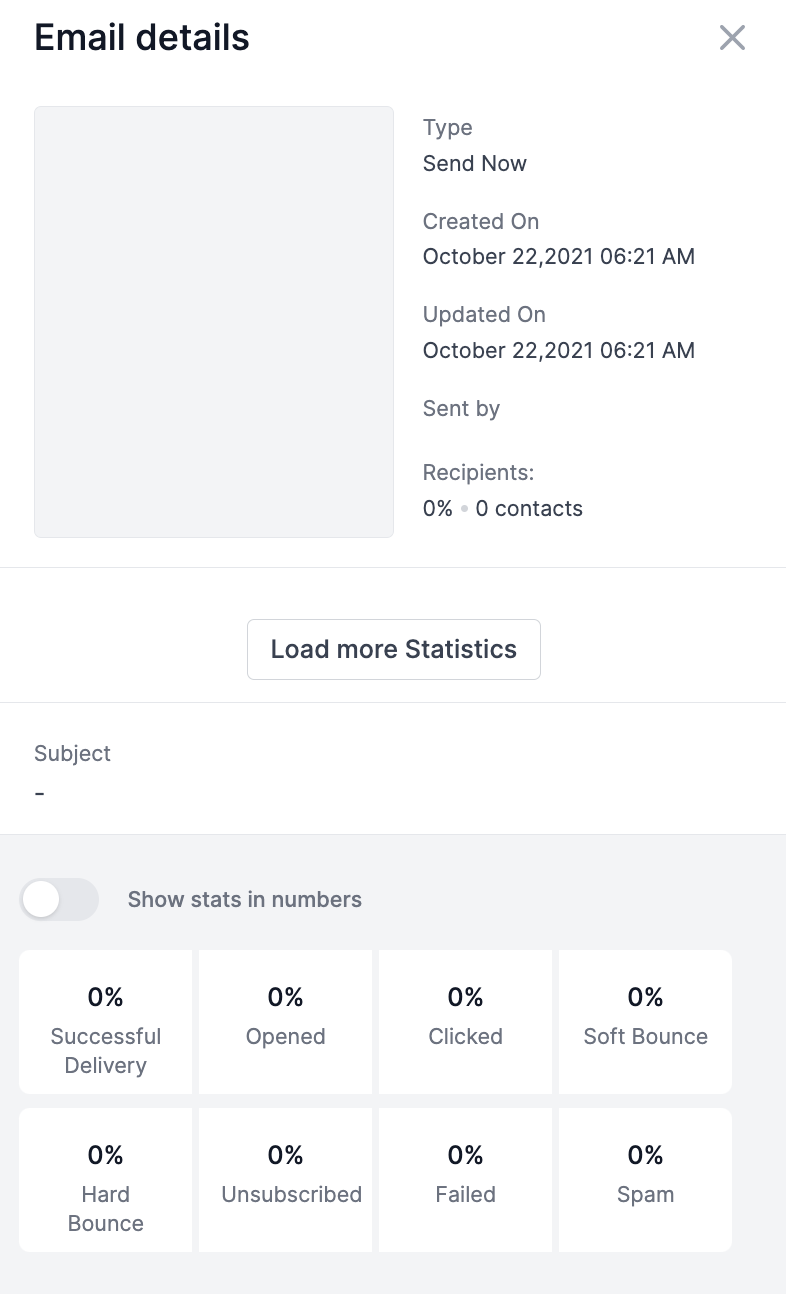
Click “Load more Statistics” to open a popup window that displays detailed information on specific contact records and their status as opened, clicked, failed, etc.
Frequently Asked Questions
What does “Checking Email Statistics in HighLevel” cover?
Click “Load more Statistics” to open a popup window that displays detailed information on specific contact records and their status as opened, clicked, failed, etc.
Start Your HighLevel Free Trial
Browse all GoHighLevel guides · HighLevel Email.