

Within HighLevel’s Workflow builder, the “Contact Changed” workflow trigger allows you to automate actions when a contact record is modified. You can trigger events in a Workflow when a contact record is changed based on the following items within HighLevel:
- Tags being added
- Tags being removed
- DND being activated or removed
- Contact being assigned to a user, or reassigned to a user
- Custom field being populated
- Custom field changing to something specific
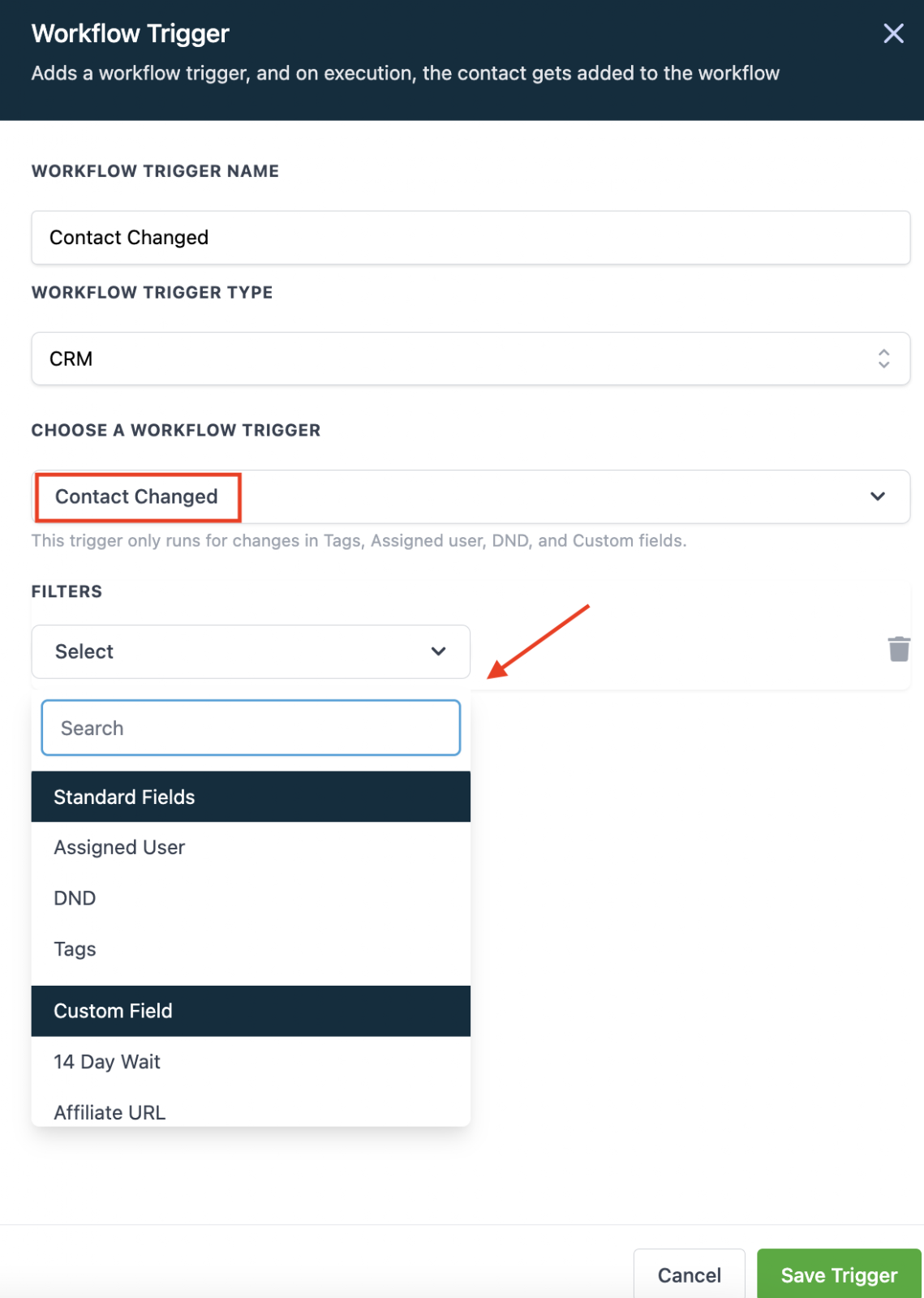
Follow these simple steps to use this Workflow Trigger:
- In the Workflow, click to add a Trigger.
- Choose “Contact Changed” as the Workflow Trigger.
- Select a filter from the dropdown menu.
- Save Trigger to add to the Workflow.
Frequently Asked Questions
What does “Using the Contact Changed Workflow Trigger in HighLevel” cover?
Within HighLevel’s Workflow builder, the “Contact Changed” workflow trigger allows you to automate actions when a contact record is modified. You can trigger events in a Workflow when a contact record is changed based on the following items within HighLevel:
Start Your HighLevel Free Trial
Browse all GoHighLevel guides · HighLevel Contacts · HighLevel Workflows.