

This tutorial will teach you how to disable and enable calendar services within HighLevel. Maybe you have a service that you typically offer such as a 30 minute consultation or a demo, and you want to temporarily disable that calendar because you’re not offering it right now. You can disable the calendar service within HighLevel, rather than having to delete a calendar. (You can always re-enable it later.) Follow these steps to learn how to disable and enable calendar services within HighLevel:
How to Disable Calendar Service
- Navigate to Calendars in HighLevel.
- Choose the one you’d like to disable, and click the 3-dot dropdown menu.
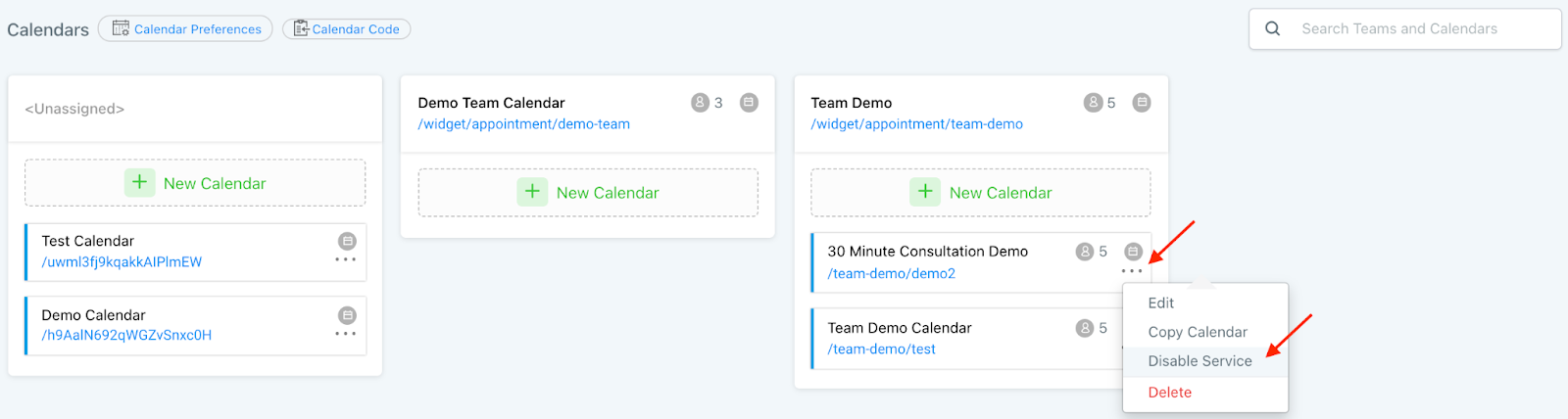
- In the popup window, click OK to disable the service.

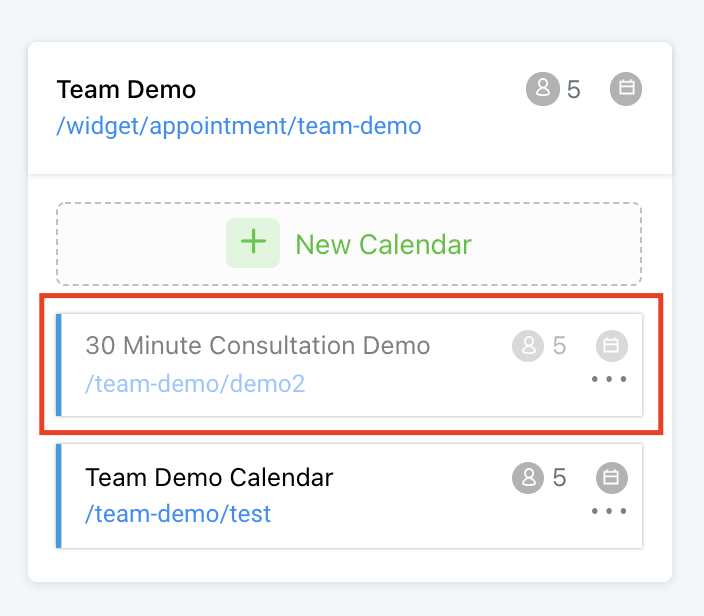
- It’ll appear grayed out when it is disabled.
How to Enable Calendar Service
- Click the 3-dot dropdown menu for the calendar you wish to reinstate, or enable.
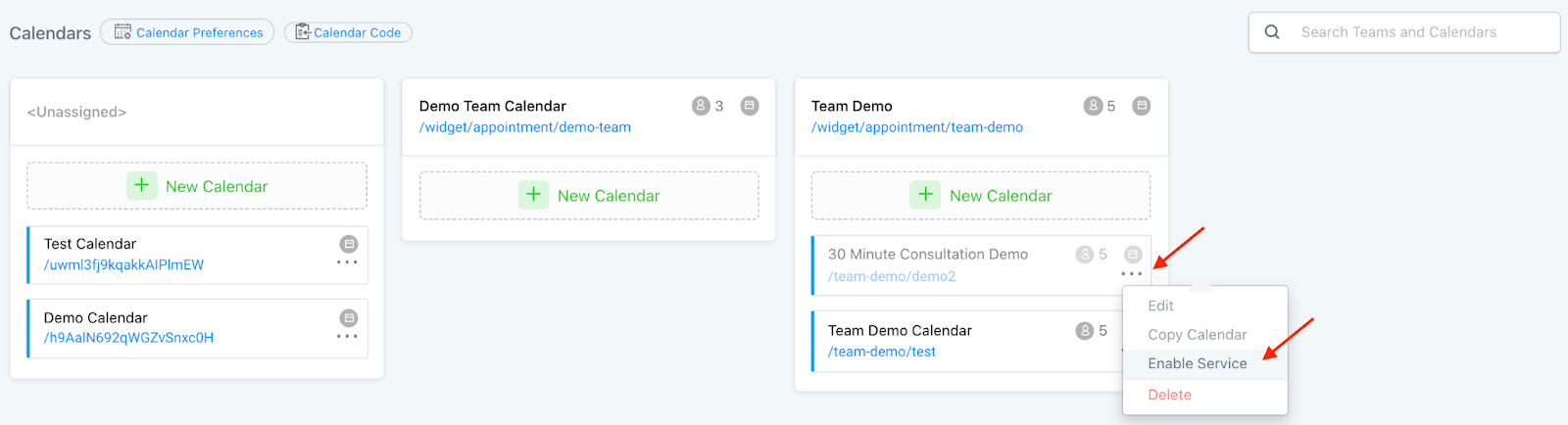
- Click “Enable Service”.
- The calendar will be instantly re-enabled.
Frequently Asked Questions
What does “How to Disable and Enable Calendar Service in HighLevel” cover?
This tutorial will teach you how to disable and enable calendar services within HighLevel. Maybe you have a service that you typically offer such as a 30 minute consultation or a demo, and you want to temporarily disable that calendar because you’re not offering it right now. You can disable the calendar service within HighLevel, rather than having to delete a calendar. (You can always re-enable it later.) Follow these steps to learn how to disable and enable calendar services within HighLevel:
Start Your HighLevel Free Trial
Browse all GoHighLevel guides · HighLevel Calendars.