

You may want to add or remove the system logo from a form in HighLevel. Follow these simple steps to learn how:
Step 1: Navigate to HighLevel’s Form Builder.
Step 2: Click “Edit” for the form you wish to update.
Step 3: From the menu on the right-hand side, select Styles.
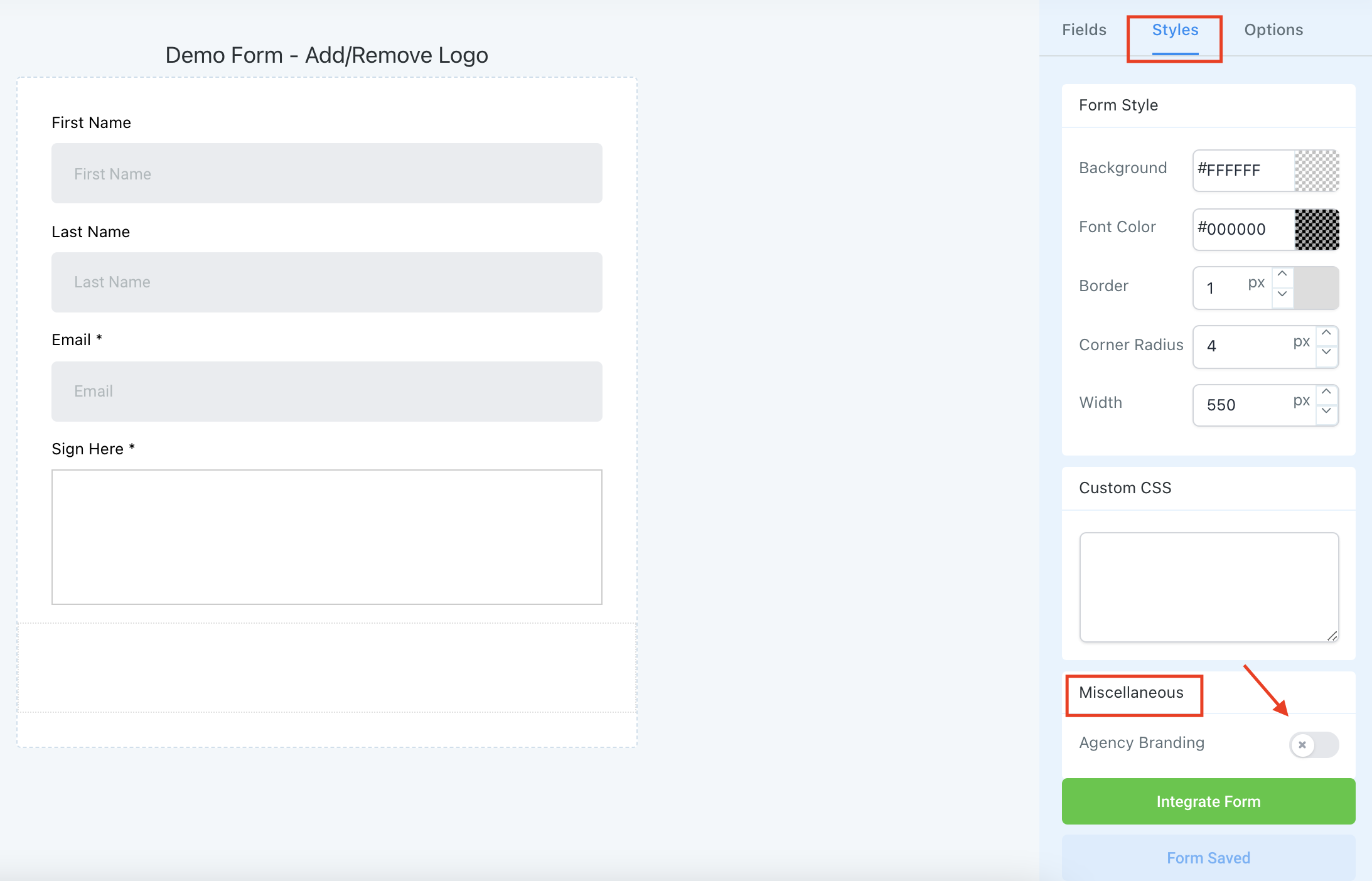
Step 4: Scroll to the bottom, and under Miscellaneous, you can toggle on or off “Agency Branding” to hide or show the system’s logo.
Frequently Asked Questions
What does “How to Add or Remove Logos for Forms in HighLevel” cover?
You may want to add or remove the system logo from a form in HighLevel. Follow these simple steps to learn how:
Start Your HighLevel Free Trial
Browse all GoHighLevel guides · HighLevel Forms.